
How to fix Azure Web Application Firewall 949110 Anomaly Scoring Flag?
Microsoft Azure has been in the public cloud for long now and organizations around the world trusts Microsoft that it will adhere to every standards when it comes to security and protecting their data. There are various resource types in Microsoft Azure that comes with security features including Virtual Machines, App Services, Key Vault, Azure Front Door, Application Gateway and many more. Being a renowned and IT giant in the market, Microsoft claims in its documentation that it follows all the latest and trustworthy security standards. Even we can check these documents over here
In this particular blog post, I would like to take you to my personal experience of handling one of my customer’s challenge where his API calls were flagged by Azure Front Door Web Application Firewall (WAF) with the Managed Rules having rule # 949110. Now if you Google this particular 949110, you will not find any direct solution or an exclusion to be made because its not straightforward. This particular rule has a conjunction of other nested rules which we must track ourselves using KQL query and matching rule IDs then creating the exclusions to make it work out.
What is Anomaly Scoring in WAF?
Before going towards technical side, you must first understand what does Anomaly Scoring is in Web Application Firewall and how it detects an API or URI as Anomalous. The Anomaly Scoring does not block your traffic immediately, instead, it takes into account some thresholds which contributes to the anomalous scoring. If the score is great than 5, the WAF takes the action.
| Rule severity | Value contributed to anomaly score |
|---|---|
| Critical | 5 |
| Error | 4 |
| Warning | 3 |
| Notice | 2 |
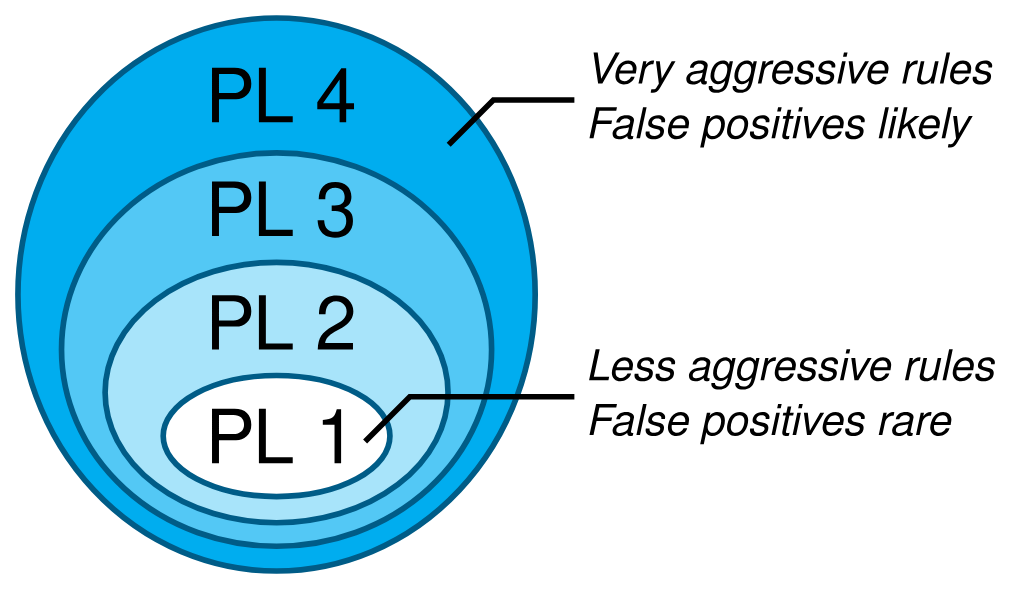
If the WAF is in prevention mode and the score reaches beyond 5, the call will be blocked by the WAF and in the logs you will see “block” action. On the other hand, a Warning rule will only add 3 in the score and this will not block the request but instead you will see “matched” action in the logs. Each of these scores has a Paranoia Level (PL) linked to it which governs how aggressive each scoring is.
The higher the PL level, the harder it makes the attacker go undetected but it also comes with the risks of many False Positives. It is highly advised for the companies to think thoroughly on their security posture and understand each PL level and decide what level of PL they must acquire to protect their applications. You can read more about PL level here
Troubleshooting 949110 using KQL
If you encounter your APIs or URLs are being flagged by WAF with 949110, your first step is to run the following KQL query in the Log Analytics (i am assuming that Diagnostic Settings are enabled on AFD to collect the WAF logs).
AzureDiagnostics
| where TimeGenerated >= ago(30m)
| project TimeGenerated, ResourceId, Category, ResourceGroup, SubscriptionId, action_s, ruleName_s, requestUri_s, host_s, policy_s, policyMode_s, details_msg_s, details_matches_s
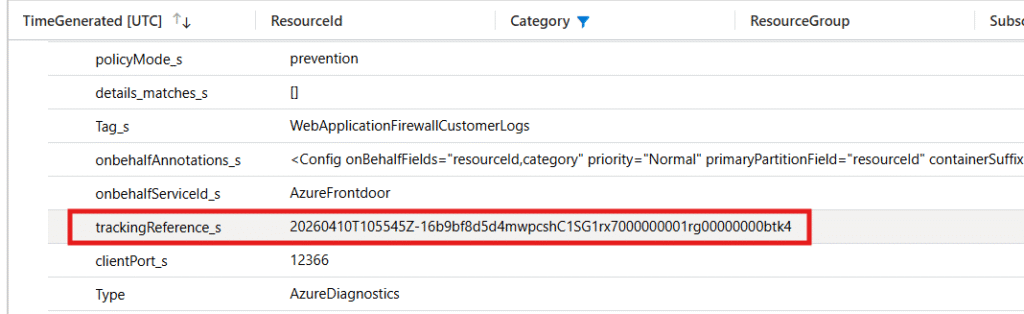
With above query, you will get a similar result as seen below. Notice the parameter “trackingReference_s” which I have highlighted in the red box. This reference will take you to the exact rule which is blocking the API and contributing to the anomaly score.
Now, run the following query by pasting the same tracking reference you got from previous query:
AzureDiagnostics
| where trackingReference_s == "<TRACKINGREFERENCEHERE>"
| where action_s in ("Matched", "AnomalyScoring")
After you run the above query with the exact Tracking Reference ID, you will determine the rule ID which is blocking and also the category of the flag e.g. XSS, SQLI, Protocol Enforcement etc. See the screenshot below where the parameter “ruleName_s” shows the rule ID 930130 taken into effect.

Now go to your WAF policy in Azure and create the Managed Rules exclusion based on the exact rule 930130
Since the WAF is attached to AFD, the actions will take around 20-40 minutes to take effect. Once the exclusion is created, try to call the API or URL again or check from the same KQL query if it is again getting flagged or not.